POPULAR
Instant Online HTML Formatter
NEW TOOL
Try our Interactive Python Online Playground!
FEATURED
HTML, CSS & JS Live Code Playground
POPULAR
Try Our Online Code Editor and Compiler
POPULAR
Instant Online HTML Formatter
NEW TOOL
Try our Interactive Python Online Playground!
FEATURED
HTML, CSS & JS Live Code Playground
POPULAR
Try Our Online Code Editor and Compiler
How to Learn Coding from Scratch in 2026 (Step-by-Step Guide)

Published By
Bikki Singh📑 Table of Contents
If you’re starting your coding journey in 2026, you’re right on time.
Tech skills are in more demand than ever, and learning to code is one of the best investments you can make for your career. But with so many languages, platforms, and online courses out there, it’s easy to feel lost at the beginning.
Don’t worry — this guide will walk you through everything step-by-step, from understanding what coding really means to becoming confident enough to build your own projects.
What Does Learning Coding Actually Mean?
Before jumping into syntax and languages, let’s clear up what “learning coding” actually means.
Coding is basically telling a computer what to do using a language it understands.
Think of it like giving instructions to a friend — but instead of English or Hindi, you use programming languages such as Python, C Programming, C++ Programming, or Java.
Learning coding involves:
-
How to think logically and break big problems into smaller steps.
-
How to write those steps in a specific programming language.
-
How to debug and fix errors when your program doesn’t behave as expected.
-
Building projects that actually work
So don’t think of coding as just typing symbols. It’s really about learning problem-solving. If you can break problems into smaller steps and stay curious, you can become a great programmer.
Why Learn Coding in 2026?
In 2026, coding is not just for software engineers. It’s becoming an essential skill in almost every field — business, design, marketing, automation, and even education.
Here’s why you should learn coding:
-
Job opportunities: Developers are in high demand globally
-
Freelancing: Earn from coding projects online
-
Startup advantage: Build your own apps and websites
-
Career switch: Move from non-tech to tech roles
-
Problem-solving mindset: Coding improves logic and creativity
And the best part — you can learn coding free of cost from your home.
Also Read: Top 10 Python Trends in 2026 Every Developer Should Follow
Steps to Learn Coding from Scratch in 2026

Step 1: Learn How Coding Works
Before jumping into any specific language, understand how programming works.
Computers don’t understand human language — they only understand binary (0s and 1s). Programming languages act as a bridge between humans and computers.
Here are the basic concepts you should learn first:
-
Variables – store data
-
Data types – define the kind of data (numbers, text, etc.)
-
Operators – perform mathematical or logical operations
-
Conditions (if-else) – make decisions in code
-
Loops – repeat actions automatically
-
Functions – reusable blocks of code
You can learn these basics easily in our Programming Fundamentals for Beginners guide.
Step 2: Choose a Beginner-Friendly Language
Choosing your first programming language is the most common confusion for beginners.
Here’s a simple way to decide based on your goals:
| Goal | Recommended Language | Why |
|---|---|---|
| Easy start and quick learning | Python | Clean syntax, beginner-friendly |
| Understand core programming | C Language | Builds strong logic base |
| Web and app development | JavaScript | Runs in browsers, very versatile |
| Build strong OOP foundation | Java or C++ | Used in jobs and large systems |
If you’re completely new, start with Python Tutorial for Beginners.
Once comfortable, move on to C Programming Tutorials or Java Basics to strengthen your fundamentals.
Also Read: Python vs Java: Which is Better for Beginners in 2026?
Step 3: Learn Coding Fundamentals Step-by-Step
Instead of rushing to build projects, focus first on understanding core coding concepts.
Follow this simple order to build a strong foundation:
-
Basic syntax
-
Variables and data types
-
Operators and expressions
-
Conditional statements (if-else)
-
Loops (for, while)
-
Functions
-
Arrays or lists
-
Strings
-
File handling
-
Error handling
Each topic has a detailed guide on CodePractice:
Pro Tip: Practice every concept by writing small programs.
For example:
-
Create a program to find even numbers between 1–50.
-
Write a function to calculate student grades.
Small hands-on exercises improve understanding more than just reading.
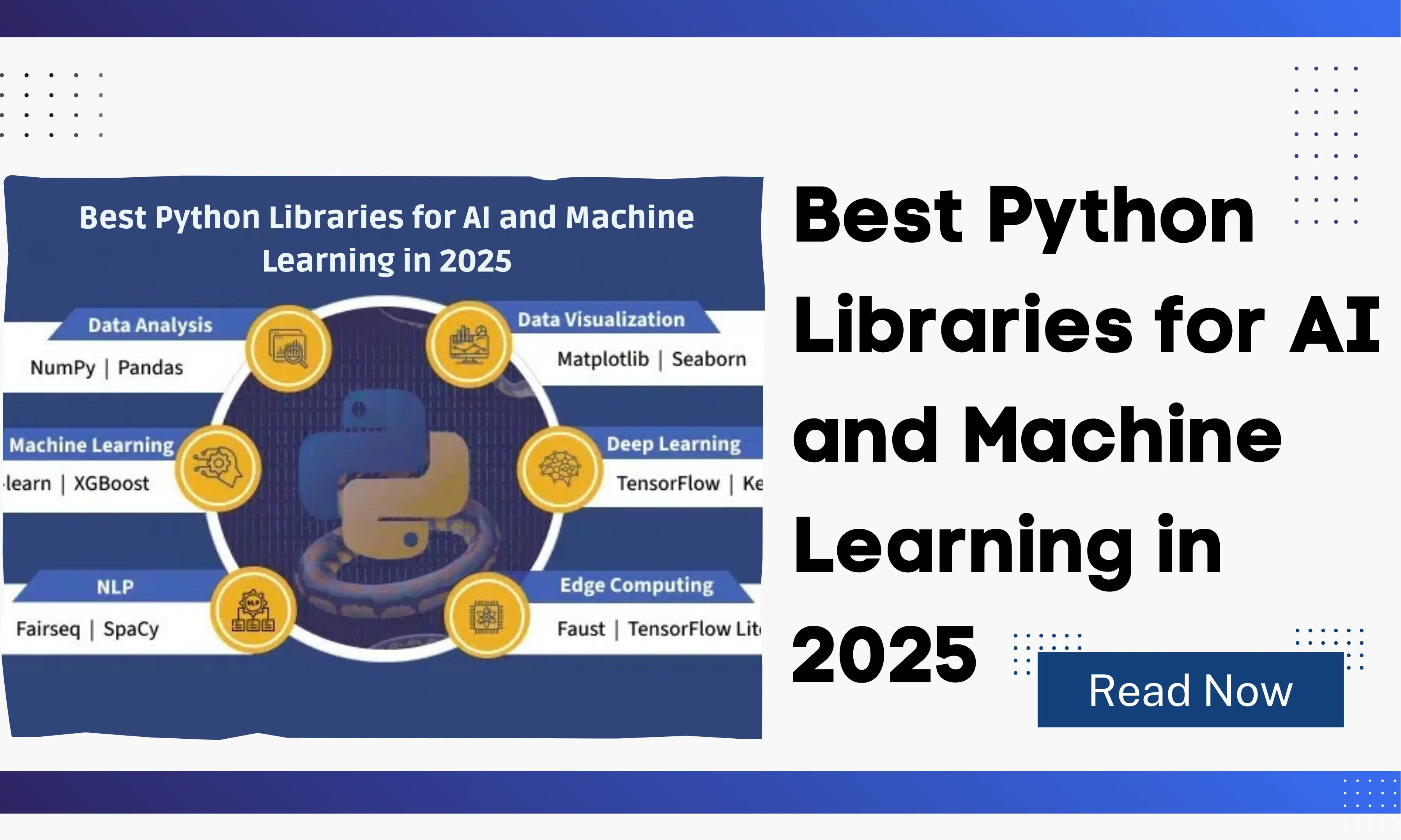
Also Read: Best Python Libraries for AI and Machine Learning in 2026
Step 4: Practice on Interactive Coding Platforms
Reading tutorials helps, but nothing beats writing your own code.
Here are some beginner-friendly sites to practice directly in your browser:
-
LeetCode – Great for logical problems.
-
HackerRank – Practice topic-wise challenges.
-
Replit – Run and share your code online.
-
W3Schools – Reference examples for quick learning.
Create a 30-day practice challenge for yourself. Even 30 minutes a day can make a huge difference.
Step 5: Watch and Learn Real Coding Examples
Learning becomes easier when you see how code is written and explained in real time.
Watch simple tutorials on YouTube or follow CodePractice Blogs where you can see step-by-step coding in action.
Try building your own version of what you see — like a calculator, to-do app, or student record program.
Recreating small projects helps you understand coding logic deeply.
Step 6: Learn Version Control (Git & GitHub)
Once you start creating mini projects, learn how to manage and save your code using Git and GitHub.
They help you:
-
Track changes and versions of your code
-
Undo mistakes easily
-
Collaborate with others
-
Create a portfolio of your work
You can follow our Git and GitHub for Beginners tutorial to get started.
Step 7: Build Mini Projects
Mini projects are the turning point where you move from theory to practical coding.
Here are a few beginner project ideas:
-
Student Record System
-
To-Do List Web App
-
Calculator Program
-
Expense Tracker
-
Weather App using APIs
-
Quiz Application
Start small. You’ll learn how to handle real problems like input validation, loops, and debugging.
You can check Beginner Project Ideas in Python, C, and Java for complete examples.
Step 8: Learn How the Web Works
If you want to become a web developer, understand how websites are built from scratch.
Start with:
-
HTML Tutorial for Beginners – structure of web pages
-
CSS Tutorial – design and layout
-
JavaScript Tutorial – logic and interactivity
Once you master the basics, explore:
-
Frontend frameworks like React or Vue
-
Backend languages like Node.js or PHP
-
Databases like MySQL or MongoDB
-
APIs for connecting apps together
You can find full step-by-step guides in our Web Development Tutorials section.
Also Read: HTML Semantic Tags Explained with Examples (Beginner Guide)
Step 9: Practice Data Structures and Algorithms (DSA)
If your goal is a software development career, DSA is essential.
It helps you write fast, efficient, and optimized code.
Start with these topics:
-
Arrays and Strings
-
Linked Lists
-
Stacks and Queues
-
Trees and Graphs
-
Sorting and Searching
-
Recursion and Dynamic Programming
Follow our DSA Roadmap for Beginners to learn topic by topic with examples.
Also Read: What is OOP in C++? Explained with Real-life Examples
Step 10: Join a Coding Community
Learning coding becomes much more enjoyable when you’re part of a community.
Join coding groups or forums where you can ask questions, share code, and learn from others.
You can:
-
Participate in challenges or hackathons
-
Collaborate on GitHub projects
-
Connect on LinkedIn with other learners
Community learning keeps you motivated and consistent.
Step 11: Build Your Developer Portfolio
Once you’ve completed a few projects, it’s time to showcase your skills.
A good developer portfolio includes:
-
Your introduction
-
Projects with screenshots and links
-
Skills and tools you know
-
GitHub and LinkedIn profile links
-
Contact details
You can learn how to make your own site using HTML Portfolio Tutorial or React Portfolio Project guides.
Step 12: Learn Tools Used by Developers
In real-world development, coding alone isn’t enough.
You’ll also use tools daily for writing, testing, and hosting code.
Here are some to learn:
-
VS Code – best editor for beginners
-
Git – version control system
-
MySQL – database for storing data
-
APIs – connect external services
-
Hosting – publish your websites online
Explore Essential Developer Tools Guide to understand how these fit together.
Step 13: Stay Consistent with a Routine
Coding is all about practice. You don’t need to spend 8 hours a day — but you need regular practice.
Here’s a simple weekly routine:
-
Mon–Fri: Learn one topic daily
-
Saturday: Build a mini project
-
Sunday: Revise or learn something new
Stick to it for 3 months, and you’ll start noticing real progress.
Step 14: Explore Coding Career Options
Once you’re confident in your basics, explore which coding career suits you best.
| Career Path | Skills Needed |
|---|---|
| Web Developer | HTML, CSS, JavaScript, React |
| Backend Developer | PHP, Node.js, Python |
| App Developer | Kotlin, Swift, Flutter |
| Data Analyst | Python, SQL, Excel |
| Software Engineer | DSA, Java, C++ |
| Game Developer | Unity, C#, 3D Logic |
| Cybersecurity Expert | Linux, Python, Networking |
You can read detailed guides under our Career in Coding Series section.
Also Read: Bootstrap vs Tailwind in 2026: Which CSS Framework Should Developers Choose?
Step 15: Keep Learning and Stay Updated
Technology never stops evolving.
Once you’re comfortable with one language, explore new tools, frameworks, and updates.
Stay updated by:
-
Reading CodePractice Blogs
-
Watching developer YouTube channels
-
Following official documentation
-
Trying open-source contributions
-
Building advanced projects
Continuous learning is what separates good coders from great developers.
Common Mistakes Beginners Should Avoid
Every beginner faces some challenges while learning to code.
Here are common mistakes you should avoid:
-
Learning too many languages at once
-
Copy-pasting code without understanding
-
Ignoring errors instead of debugging
-
Skipping fundamentals
-
Quitting too soon
Remember — errors are part of coding. Each bug you fix teaches you something new.
Best Free Resources to Learn Coding in 2026
Here’s a list of trusted and free resources to get started:
| Platform | Best For |
|---|---|
| CodePractice Tutorials | Complete beginner to advanced roadmap |
| W3Schools | Quick code examples |
| freeCodeCamp | Full-length courses |
| GeeksforGeeks | DSA and theory |
| LeetCode | Interview preparation |
| Replit | Practice online coding |
Bookmark them and use one resource consistently instead of switching too often.
Summary: Your 2026 Coding Roadmap
Let’s quickly recap your step-by-step journey to learn coding from scratch in 2026:
-
Understand how coding works
-
Choose one beginner-friendly language
-
Learn core concepts step by step
-
Practice daily
-
Build small projects
-
Learn Git and GitHub
-
Explore DSA and web development
-
Join communities
-
Build a portfolio
-
Keep learning consistently
The more you code, the better you’ll get — it’s that simple.
Conclusion
Learning coding from scratch in 2026 doesn’t need to be overwhelming.
Take one step at a time, keep practicing, and don’t rush.
Even small daily progress adds up fast.
Start today with your first lesson at CodePractice Tutorials — and begin your journey to becoming a confident developer.
🔥 Get Free Weekly Coding Cheatsheets & Guides
Join 10,000+ developers getting handpicked Python, Web Dev & CS interview prep guides directly in their inbox.
Frequently Asked Questions (FAQs)
Q1: How do I start learning coding from scratch in 2026?
Start with one beginner-friendly language like Python, learn the basics such as loops, conditions, and functions, then practice coding daily. Follow a structured roadmap and build small projects to strengthen your understanding.
Q2: Which programming language is best for beginners in 2026?
Python is the most recommended language for beginners in 2026 because it’s simple, easy to read, and widely used in web development, data science, and automation.
Q3: How long does it take to learn coding for beginners?
If you practice consistently for 1–2 hours daily, you can learn basic coding in about 3–6 months. Becoming job-ready may take 8–12 months depending on your focus and project practice.
Q4: Can I learn coding at home without any experience?
Yes. You can learn coding from home using free tutorials, coding platforms, and YouTube lessons. All you need is a laptop, internet connection, and regular practice time.
Q5: What are the best free websites to learn coding in 2026?
Some of the best free platforms to learn coding in 2026 are CodePractice, W3Schools, freeCodeCamp, GeeksforGeeks, and LeetCode. These sites offer tutorials, coding practice, and real-world projects for beginners.
Related Tags:
learn coding from scratch 2025
how to learn coding for beginners
best way to learn coding
programming for beginners 2025
how to start coding from zero
beginner programming language 2025
coding roadmap for beginners
learn programming online free
how long does it take to learn coding
coding practice for beginners
how to start coding with no experience
free coding tutorials for beginners
coding projects for beginners 2025
best coding language for beginners
learn coding at home in 2025
Hi, I'm Bikki Singh — Full Stack Developer, coding language trainer, and founder of CodePractice.in. With 5+ years of hands-on web development experience, I've trained 500+ students across India in Python, PHP, Java, C, C++, MySQL, and front-end technologies like HTML, CSS, and JavaScript. I started CodePractice.in with one goal: make programming education practical, not theoretical. Every tutorial and blog I write is built around real projects and interview scenarios — so learners don't just understand code, they can actually use it.


Read Coding Blogs on Different Topics
Learn Our Free Tutorials on

Submit Your Reviews