-
Hajipur, Bihar, 844101
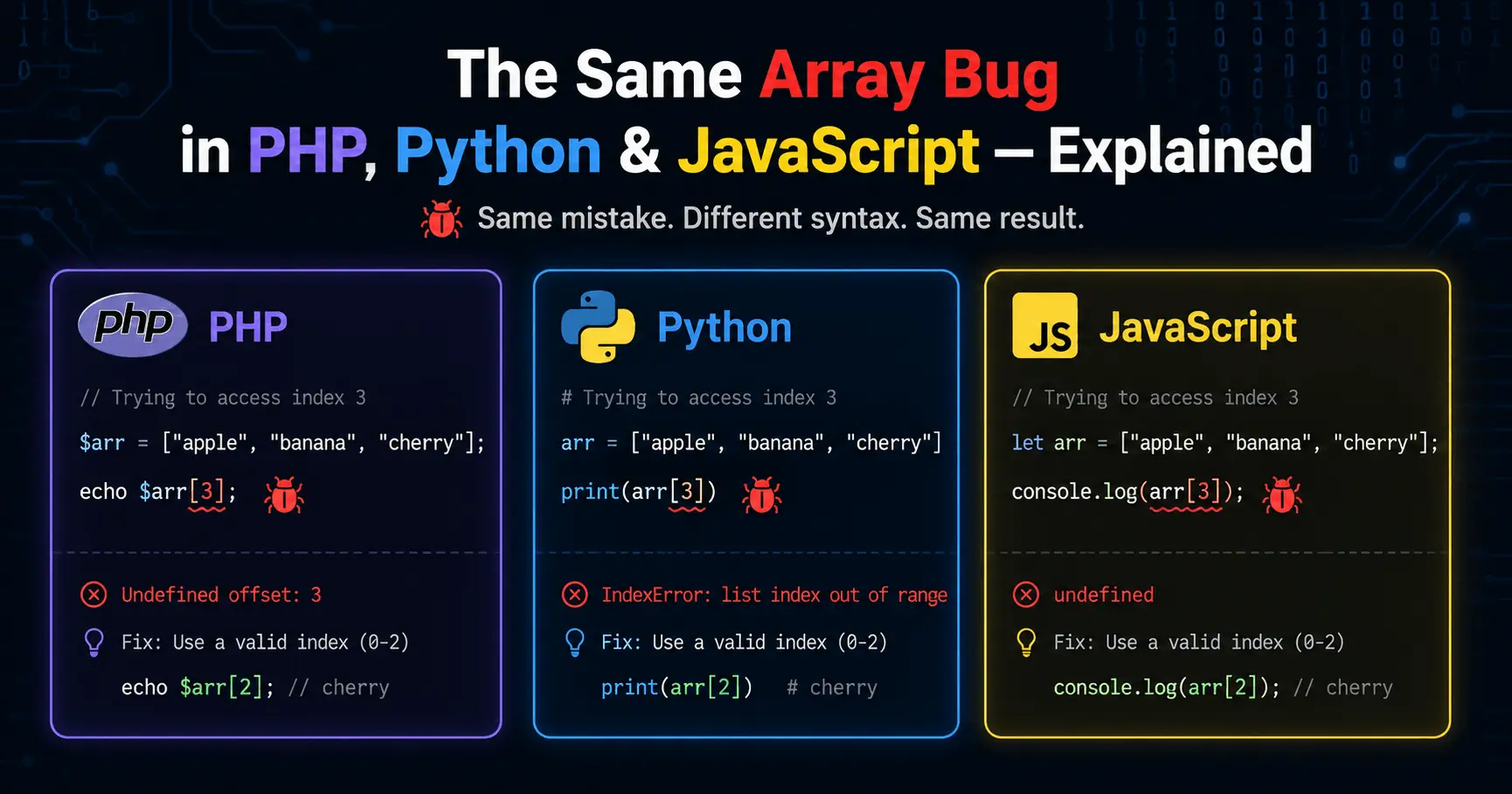
The Same Array Bug in PHP, Python & JavaScript — Explained

Published By
Bikki SinghTL;DR: PHP, Python, and JavaScript all handle array copying, mutation, and reference passing differently. The same "array bug" looks slightly different in each language — and if you don't know which model your language uses, you'll spend hours chasing a bug that doesn't make sense.
You wrote what looks like clean code. You passed an array into a function, modified it, and then printed the original array — and somehow, the original changed too. Or maybe the opposite happened: you expected a shared reference and got a fresh copy instead.
This is the array bug that trips up almost every developer switching between PHP, Python, and JavaScript. It's not one bug — it's three different behaviors wearing the same mask.
The short answer: PHP arrays are value types (copied by default), Python lists are reference types (shared by default), and JavaScript arrays are objects passed by reference — but with some tricky nuances around reassignment. Keep reading for the full breakdown with real code.
What Is an Array Reference Bug?
Array Reference Bug: A class of bugs caused by not knowing whether your language copies an array or shares a reference to it. When you expect a copy but get a reference (or vice versa), data gets mutated in ways you didn't intend.
Think of it like this: a value copy is like printing a photo and handing it to someone — they can write on their copy, yours stays clean. A reference is like handing someone your phone — whatever they do to your photos, you both see.
The problem is that PHP, Python, and JavaScript each have their own rules about which one you're getting.
Why This Matters More Than You Think
[Stat: "According to the Stack Overflow Developer Survey 2024, PHP, Python, and JavaScript are consistently among the top 10 most-used languages — meaning millions of developers hit these exact cross-language pitfalls every year."]
A lot of developers work across two or even all three of these languages—backend PHP, Python scripts, and a JavaScript frontend. When you switch between them mid-sprint, your mental model for arrays carries over even when it shouldn't.
The bug that gets most developers here is: they test a utility function in isolation, it works fine, then it silently corrupts data somewhere upstream in a real request. By the time the wrong data shows up, the call stack is three levels deep and the original array is long gone.
Also Read: 10 Common PHP Bugs in Real-Time Development (With Fixes)
How PHP Arrays Work: Copy by Default
PHP arrays are one of the most misunderstood data structures in web development. Unlike objects, PHP arrays follow copy-on-write semantics. When you assign an array to a new variable or pass it into a function, PHP gives that new variable its own copy.
Here's what that looks like in practice:
<?php
// PHP arrays are value types — assigning creates a copy
$originalCart = ['apple', 'banana', 'cherry'];

// Assigning to a new variable copies the array
$tempCart = $originalCart;
$tempCart[] = 'dragonfruit'; // Add to the copy

// The original is untouched
print_r($originalCart);
// Output: Array ( [0] => apple [1] => banana [2] => cherry )

print_r($tempCart);
// Output: Array ( [0] => apple [1] => banana [2] => cherry [3] => dragonfruit )
?>
That's the default. But here's where PHP developers get burned — passing an array into a function also copies it by default:
<?php
function addDiscount(array $cart): array {
    // This $cart is a LOCAL copy — modifying it won't affect the caller's array
    $cart[] = 'discount_code_applied';
    return $cart;
}

$userCart = ['apple', 'banana'];
addDiscount($userCart); // Return value is ignored here

print_r($userCart);
// Output: Array ( [0] => apple [1] => banana )
// The original is unchanged — the function modified a local copy
?>
If you want to modify the original, you need to explicitly pass by reference using &:
<?php
function applyDiscount(array &$cart): void {
    // The & means this IS the original array, not a copy
    $cart[] = 'discount_code_applied';
}

$userCart = ['apple', 'banana'];
applyDiscount($userCart);

print_r($userCart);
// Output: Array ( [0] => apple [1] => banana [2] => discount_code_applied )
?>
The & syntax is a deliberate choice in PHP. When you don't see it, you're working with a copy. When you do, you're mutating the original.
Also Read: More PHP array pitfalls to watch out for
How Python Lists Work: Reference by Default
Python's list is a completely different animal. When you assign a list to a new variable in Python, you're not creating a copy — you're creating a second name pointing to the same object in memory.
# Python lists are reference types — assignment shares the reference
original_cart = ['apple', 'banana', 'cherry']

# This does NOT create a copy — both variables point to the same list
temp_cart = original_cart
temp_cart.append('dragonfruit')

# The "original" is now changed because it IS the same list
print(original_cart)
# Output: ['apple', 'banana', 'cherry', 'dragonfruit']

print(temp_cart)
# Output: ['apple', 'banana', 'cherry', 'dragonfruit']

# Confirm they're the same object in memory
print(temp_cart is original_cart)  # True
This confuses almost everyone at first. The variable temp_cart doesn't hold a list — it holds a reference to the same list that original_cart points to.
The same thing happens when you pass a list into a function:
def add_to_cart(cart):
    # This 'cart' parameter is a reference to the caller's list
    cart.append('discount_code_applied')  # Mutates the original!

user_cart = ['apple', 'banana']
add_to_cart(user_cart)

print(user_cart)
# Output: ['apple', 'banana', 'discount_code_applied']
# The original was modified inside the function
To work with a copy in Python, you need to be explicit about it:
# Option 1: Slice notation to create a shallow copy
temp_cart = original_cart[:]

# Option 2: list() constructor — also a shallow copy
temp_cart = list(original_cart)

# Option 3: copy module for deep copies (nested lists/objects)
import copy
temp_cart = copy.deepcopy(original_cart)

original_cart = ['apple', ['mango', 'grape']]

# Shallow copy — nested list is still shared!
shallow = original_cart[:]
shallow[1].append('kiwi')
print(original_cart)  # ['apple', ['mango', 'grape', 'kiwi']] — nested list changed!

# Deep copy — completely independent
deep = copy.deepcopy(original_cart)
deep[1].append('kiwi')
print(original_cart)  # ['apple', ['mango', 'grape']] — untouched
The shallow vs deep copy distinction is where Python's mutable list bug gets really nasty. A shallow copy is fine for flat lists. The moment you have nested lists or objects inside, you need copy.deepcopy.
Also Read: 15 common Python mistakes beginners must avoid
How JavaScript Arrays Work: Objects with Reference Semantics
JavaScript arrays are objects. And like all objects in JavaScript, they're passed and assigned by reference to a location in memory — but with a catch that confuses even experienced developers.
// JavaScript arrays are objects — assigned by reference
const originalCart = ['apple', 'banana', 'cherry'];

// This points to the SAME array in memory
const tempCart = originalCart;
tempCart.push('dragonfruit'); // Mutates the shared array

console.log(originalCart);
// Output: ['apple', 'banana', 'cherry', 'dragonfruit']
// Both variables see the mutation
So far, that looks like Python. But here's the JavaScript-specific gotcha: const does not make an array immutable. It only prevents the variable from being reassigned. The array itself can still be mutated.
const userCart = ['apple', 'banana'];

// This WORKS — mutating the array is allowed even with const
userCart.push('cherry');
console.log(userCart); // ['apple', 'banana', 'cherry']

// This FAILS — reassigning the variable is not allowed with const
// userCart = ['new', 'array']; // TypeError: Assignment to constant variable
And this is where developers coming from PHP get burned:
// BAD: function mutates the caller's array unexpectedly
function applyDiscount(cart) {
    cart.push('discount_applied'); // This mutates the original!
    return cart;
}

const myCart = ['apple', 'banana'];
applyDiscount(myCart);

console.log(myCart);
// Output: ['apple', 'banana', 'discount_applied']
// The original was modified — you probably didn't want this
The fix is to create a copy inside the function before modifying:
// GOOD: function works with a copy, original stays clean
function applyDiscount(cart) {
    // Spread operator creates a shallow copy of the array
    const cartCopy = [...cart];
    cartCopy.push('discount_applied');
    return cartCopy;
}

const myCart = ['apple', 'banana'];
const discountedCart = applyDiscount(myCart);

console.log(myCart);         // ['apple', 'banana'] — untouched
console.log(discountedCart); // ['apple', 'banana', 'discount_applied']
Like Python, JavaScript's spread operator ([...arr]) only creates a shallow copy. For arrays containing objects, you need a deep clone:
// Deep clone — works for arrays of primitives and objects
const deepCart = JSON.parse(JSON.stringify(originalCart));

// Or use structuredClone() (modern browsers and Node 17+)
const deepCart2 = structuredClone(originalCart);
Also Read: var vs let vs const in JavaScript — key differences explained
Step-by-Step: Diagnosing an Array Mutation Bug
Here's the debugging workflow when your array data looks wrong and you don't know why:
-
Identify where the array is first defined and print it immediately after creation. If it's already wrong there, the bug is upstream.
# Python example original = [1, 2, 3] print("After creation:", original) # Confirm baseline -
Check every assignment — is this creating a copy or sharing a reference? In Python and JavaScript, you're sharing by default. In PHP, you're copying by default.
// JavaScript — check if these are the same object const a = [1, 2, 3]; const b = a; console.log(a === b); // true — same reference, dangerous! -
Check every function that receives the array — does it modify the array in place? Look for
.push(),.pop(),.splice()in JS;.append(),.remove(),.sort()in Python; direct index assignment in PHP. -
Add copy semantics where needed and retest.
<?php // PHP — explicit reference required for mutation function processItems(array &$items): void { sort($items); // Sorts the original because of & } ?> -
For nested structures, verify deep copy if shallow copy doesn't solve it.
Common Mistakes and How to Fix Them
Mistake 1: Assuming PHP's Reference Behavior When You Meant to Pass by Value (and vice versa)
<?php
// BAD: developer forgets the & means the original is being mutated
function sortAndReturn(array &$items): array {
    sort($items); // This sorts the caller's original array!
    return $items;
}

$prices = [30, 10, 20];
$sorted = sortAndReturn($prices);

var_dump($prices); // array(3) { [0]=>int(10) [1]=>int(20) [2]=>int(30) }
// Oops — the original $prices is now sorted too
?>
<?php
// GOOD: remove the & to work with a copy
function sortAndReturn(array $items): array {
sort($items); // Sorts the local copy only
return $items;
}
$prices = [30, 10, 20];
$sorted = sortAndReturn($prices);
var_dump($prices); // array(3) { [0]=>int(30) [1]=>int(10) [2]=>int(20) }
// Original preserved
var_dump($sorted); // array(3) { [0]=>int(10) [1]=>int(20) [2]=>int(30) }
?>Also Read: PHP common mistakes every developer must know
Mistake 2: The Python Default Mutable Argument Trap
This one is a classic. It gets almost every Python beginner — and a surprising number of intermediates.
# BAD: mutable default argument — this is a trap
def add_item(item, cart=[]):  # The [] is created ONCE and reused!
    cart.append(item)
    return cart

print(add_item('apple'))   # ['apple']
print(add_item('banana'))  # ['apple', 'banana'] — wait, what?
print(add_item('cherry'))  # ['apple', 'banana', 'cherry'] — the list keeps growing!
The default [] is not created fresh each call. It's created once when the function is defined and reused across all calls.
# GOOD: use None as the default, create a fresh list inside the function
def add_item(item, cart=None):
    if cart is None:
        cart = []  # Fresh list on every call
    cart.append(item)
    return cart

print(add_item('apple'))   # ['apple']
print(add_item('banana'))  # ['banana'] — correct
Mistake 3: JavaScript Array.sort() Mutates In Place
This one breaks JavaScript code constantly because sort() doesn't return a new array — it sorts the original and returns a reference to it.
// BAD: sort() mutates the original array in place
const scores = [50, 20, 80, 10];
const sorted = scores.sort((a, b) => a - b);

console.log(scores);  // [10, 20, 50, 80] — original is sorted!
console.log(sorted);  // [10, 20, 50, 80] — same reference
console.log(scores === sorted); // true
// GOOD: copy first, then sort
const scores = [50, 20, 80, 10];
const sorted = [...scores].sort((a, b) => a - b);
console.log(scores); // [50, 20, 80, 10] — original preserved
console.log(sorted); // [10, 20, 50, 80] — sorted copyWhat the docs don't always mention clearly: Array.prototype.sort, Array.prototype.reverse, and Array.prototype.splice all mutate in place. Array.prototype.map, filter, and slice return new arrays and leave the original alone.
PHP vs Python vs JavaScript: Array Behavior Comparison
| Behavior | PHP | Python (list) |
JavaScript (Array) |
|---|---|---|---|
| Assignment default | Value copy | Reference | Reference |
| Function parameter default | Value copy | Reference | Reference |
| Explicit reference passing | &$arr |
N/A (always reference) | N/A (always reference) |
| Shallow copy method | $arr (default) |
arr[:] or list(arr) |
[...arr] or arr.slice() |
| Deep copy method | unserialize(serialize($arr)) |
copy.deepcopy(arr) |
structuredClone(arr) |
| In-place sort | sort($arr) (modifies original) |
list.sort() (modifies original) |
arr.sort() (modifies original) |
| Sort returning new array | array_multisort() / manual copy |
sorted(arr) (returns new) |
[...arr].sort() (copy + sort) |
| Mutable default args | Not applicable | Trap — avoid def f(x=[]) |
Not applicable |
Also Read: Python vs PHP: which should you learn first?
Wrapping Up
The array bug in PHP, Python, and JavaScript isn't really one bug — it's three different mental models colliding. PHP gives you copies by default and makes you ask for references explicitly. Python and JavaScript share references by default and make you ask for copies explicitly. Once that clicks, the debugging gets a lot easier.
The next time an array mutates unexpectedly — or fails to mutate when you expected it to — your first question should be: "Am I working with a reference or a value, and which language's rules apply here?" That one mental check will save you hours.
If you're working across all three languages, bookmark the comparison table above. And when you're writing functions that receive arrays, default to making your intent explicit: return new arrays in JavaScript and Python, use & consciously in PHP, and never use a mutable default argument in Python.
Frequently Asked Questions (FAQs)
Q1: Why does modifying an array inside a Python function change the original outside it?
Because Python lists are reference types. When you pass a list to a function, the parameter and the caller's variable point to the same object in memory. Any mutation method — .append(), .remove(), .sort(), direct index assignment — modifies that shared object. To prevent this, pass a copy: my_function(my_list[:]) or create the copy inside the function with local = list(incoming).
Q2: Why did my PHP array change inside a function even though I didn't use &?
Double-check you're not accidentally returning and reassigning, and confirm you're not using a global. PHP arrays are copied on function entry by default — if your original is changing, something is using & somewhere, or you're working with an object wrapped in an array (objects follow reference semantics even inside arrays). Also check if you're using array_walk or usort — some array functions modify in place.
Q3: What's the difference between a shallow copy and a deep copy of an array?
A shallow copy creates a new array, but if the array contains objects or other arrays (nested structures), those inner elements are still shared references. A deep copy recursively copies everything — the outer array and all inner structures — so the two arrays are completely independent. In Python use copy.deepcopy(), in JavaScript use structuredClone(), in PHP use unserialize(serialize($array)) for a quick deep clone (though for complex objects, a proper recursive clone is safer).
Q4: Why does const in JavaScript not prevent an array from being mutated?
const in JavaScript prevents rebinding the variable — you can't point const myArr at a different array. But the array itself is still a mutable object. const says "this name always points to this object," not "this object can never change." Use Object.freeze() for shallow immutability, but note that it doesn't freeze nested structures.
Q5: Is PHP's sort() the same as JavaScript's Array.sort()?
Both mutate the original array in place and don't return a new one. The key difference: PHP's sort() re-indexes numeric arrays (your keys reset to 0, 1, 2...), while JavaScript's .sort() preserves index structure. PHP's usort() also mutates and re-indexes. If you need a sorted copy without touching the original in PHP, do $sorted = $arr; sort($sorted);. In JavaScript, use [...arr].sort().
Related Tags:
array bug php python javascript
php array vs python list vs javascript array
common array mistakes in php
javascript array bugs
python list common mistakes
php array behavior explained
array comparison php vs python vs javascript
array bugs in programming
debugging array problems
array mutation bug javascript
php array copy vs reference
javascript array reference bug
python mutable list bug
programming bugs comparison
php python javascript differences
php array copy on write
python list reference type
javascript array object reference
shallow copy vs deep copy array
python mutable default argument bug
javascript sort mutates array
php pass array by reference
array reference vs value type
how to copy array in python
how to clone array in javascript
php array function behavior
structuredclone javascript
copy.deepcopy python
array spread operator javascript
php sort array behavior
Hi, I'm Bikki Singh — Full Stack Developer, coding language trainer, and founder of CodePractice.in. With 5+ years of hands-on web development experience, I've trained 500+ students across India in Python, PHP, Java, C, C++, MySQL, and front-end technologies like HTML, CSS, and JavaScript. I started CodePractice.in with one goal: make programming education practical, not theoretical. Every tutorial and blog I write is built around real projects and interview scenarios — so learners don't just understand code, they can actually use it.


Read Coding Blogs on Different Topics
Learn Our Free Tutorials on

Submit Your Reviews