-
Hajipur, Bihar, 844101
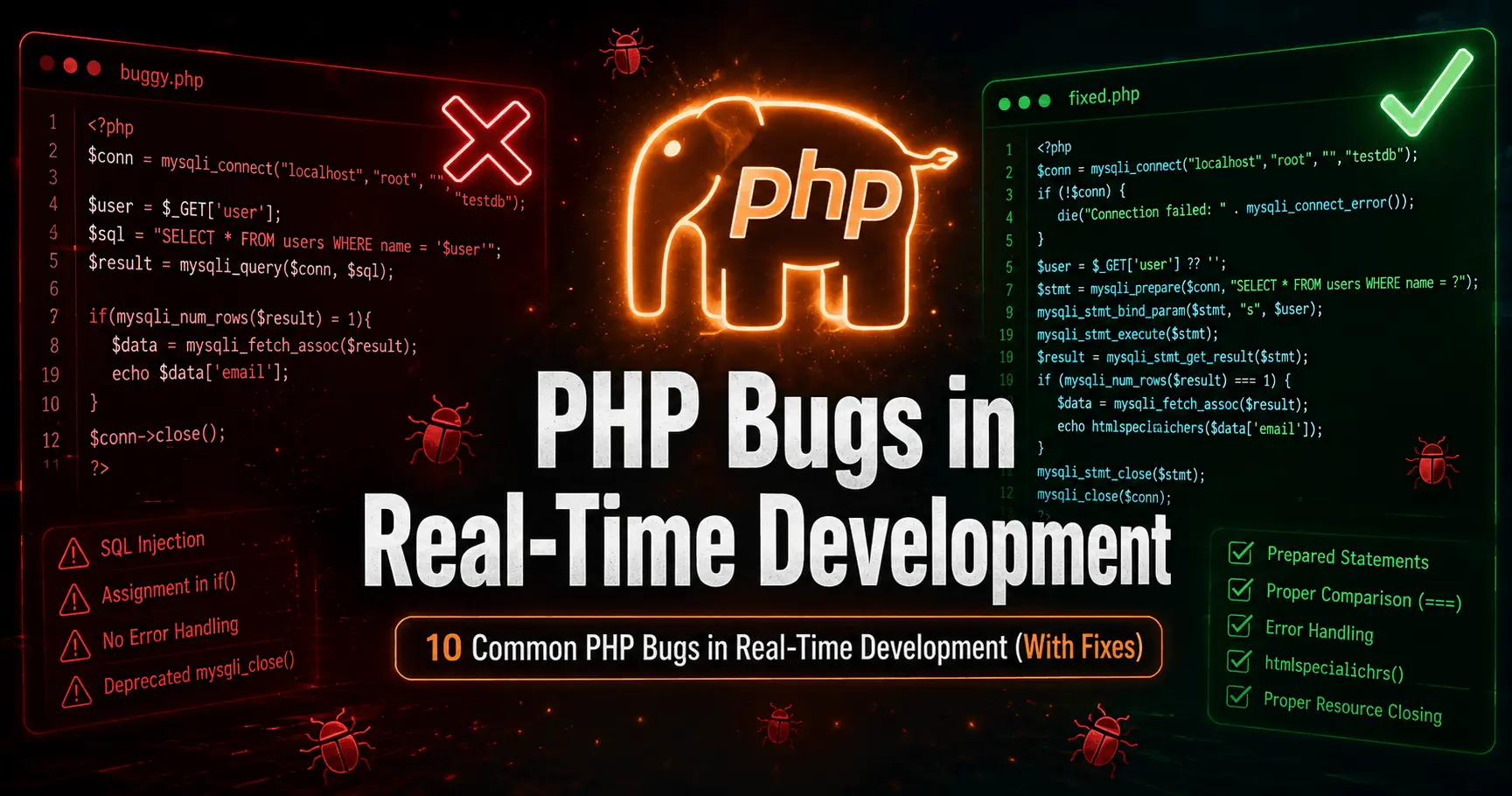
10 Common PHP Bugs in Real-Time Development (With Fixes)

Published By
Bikki SinghIf you have been writing PHP for a while, you already know — the language forgives a lot. But that forgiveness is exactly what makes PHP dangerous in production. Small mistakes quietly survive code review, pass local testing, and then explode on a live server in front of real users.
Ye bugs textbook mein nahi milte. Ye wahi bugs hain jo real projects me, real deadlines pe, real developers ke saath hote hain—whether you are building a login system, an e-commerce site, or a school management portal.
This article covers 10 of the most common PHP bugs found in real-time development, with the exact broken code, the correct fix, and a clear explanation of why it fails. Beginners aur experienced developers dono ke liye useful hai.
Bug #1 — Variable Not Accessible Inside a Function
Question: Why is my variable empty inside a function even though I defined it outside?
Mistake:
$username = "Rahul";

function greetUser() {
    echo "Hello, " . $username; // Undefined variable!
}

greetUser();
Correct Code:
$username = "Rahul";

function greetUser() {
    global $username;
    echo "Hello, " . $username; // Hello, Rahul
}

greetUser();
Explanation:
PHP functions have their own isolated scope. Unlike JavaScript, variables defined outside a function are not automatically available inside it. Jab aap function ke andar $username use karte ho, PHP usse nahi pehchaanta — woh alag scope me hota hai.
The global keyword explicitly tells PHP to pull that variable from the global scope. A cleaner, more professional approach is to pass variables as parameters instead of using global — this makes your code easier to test and debug.
function greetUser($username) {
    echo "Hello, " . $username;
}
greetUser("Rahul");
Real-world impact: Ye bug login systems aur session handling me bahut common hai — developers sochte hain variable available hai, lekin silently kuch print nahi hota.
Bug #2 — Assignment Instead of Comparison in Condition
Question: Why does my if condition always return true?
Mistake:
if($isLoggedIn = true) {
    echo "Welcome!"; // Hamesha print hoga — even if user not logged in
}
Correct Code:
if($isLoggedIn === true) {
    echo "Welcome!";
}
Explanation:
Single = assigns a value. == compares loosely. === compares strictly — both value AND type.
Jab aap $isLoggedIn = true likhte ho condition me, PHP pehle assignment karta hai (value true ho jaati hai), phir us assigned value ko evaluate karta hai — jo obviously true hai. So the condition is always true.
=== use karna best practice hai PHP me — especially for boolean checks. Agar sirf truthy check chahiye:
if($isLoggedIn) { ... }Real-world impact: Authentication bypass. Koi bhi user bina login kiye protected pages access kar sakta hai agar yeh bug production me ho.
Bug #3 — Using strlen() on Multibyte (Hindi/UTF-8) Strings
Question: Why does strlen() give wrong character count for Hindi text?
Mistake:
$text = "नमस्ते";
echo strlen($text); // Output: 18 — WRONG
Correct Code:
$text = "नमस्ते";
echo mb_strlen($text, 'UTF-8'); // Output: 6 — CORRECT
Explanation:
strlen() counts bytes, not characters. Hindi aur other UTF-8 characters multiple bytes leti hain — ek Hindi character typically 3 bytes ka hota hai.
Agar aap Indian languages ke saath kaam kar rahe ho — form validation, character limits, SMS length calculation — strlen() aapko completely wrong numbers dega.
mb_strlen() multibyte-aware hai. Iske saath hamesha encoding specify karo: 'UTF-8'.
Ye same problem substr(), strtolower(), strpos() jaise functions me bhi hoti hai — inke jagah mb_substr(), mb_strtolower(), mb_strpos() use karo.
Real-world impact: Indian developer communities ke liye yeh extremely relevant bug hai — multilingual content, Devanagari text processing, ya regional language websites me silently break ho jaata hai.
Bug #4 — Missing isset() Before Accessing POST/GET Data
Question: Why do I get "Undefined index" error after form submission or page reload?
Mistake:
echo $_POST['username']; // Error on first load or after refreshCorrect Code:
if(isset($_POST['username'])) {
    echo $_POST['username'];
} else {
    echo "No data submitted.";
}

// Modern PHP 8+ shorthand:
echo $_POST['username'] ?? 'No data submitted.';
Explanation:
$_POST sirf tabhi populated hota hai jab form actually submit ho. Pehle page load pe, ya refresh pe, ya direct URL access pe — $_POST['username'] exist hi nahi karta.
isset() check karta hai ki variable exist karta hai aur null nahi hai. PHP 8 me null coalescing operator ?? ek clean alternative hai.
Real-world impact: Every contact form, login form, registration form — in sabme yeh check mandatory hai. Missing isset() causes notices that can slow down PHP and, if error display is on in production, exposes internal code to users.
Bug #5 — Storing Plain Text Passwords in Database
Question: Why should I never store passwords directly in the database?
Mistake:
$password = $_POST['password'];
$sql = "INSERT INTO users (password) VALUES ('$password')";
// Plain text store ho raha hai — NEVER do this
Correct Code:
$password = password_hash($_POST['password'], PASSWORD_BCRYPT);
$sql = "INSERT INTO users (password) VALUES (?)";
$stmt = $pdo->prepare($sql);
$stmt->execute([$password]);

// Verification ke liye:
if(password_verify($inputPassword, $hashedFromDB)) {
    echo "Login successful";
}
Explanation:
Agar aapka database kabhi compromise ho — aur bahut baar hota hai — plain text passwords matlab attacker ko sabka account directly mil jaata hai.
password_hash() with PASSWORD_BCRYPT ek strong, salted hash generate karta hai. password_verify() se comparison karo — direct hash compare mat karo.
PASSWORD_DEFAULT bhi use kar sakte ho — yeh PHP version ke saath automatically upgrade hota hai stronger algorithm pe.
Real-world impact: OWASP Top 10 me yeh ek critical vulnerability hai. Indian cybersecurity laws ke under bhi data protection ek responsibility hai — isko skip karna professionally aur legally risky hai.
Bug #6 — SQL Injection via Direct User Input in Query
Question: Why is my database vulnerable when I use $_GET or $_POST directly in queries?
Mistake:
$id = $_GET['id'];
$result = mysqli_query($conn, "SELECT * FROM users WHERE id = $id");
// URL: yoursite.com/user.php?id=1 OR 1=1
Correct Code:
$stmt = $pdo->prepare("SELECT * FROM users WHERE id = ?");
$stmt->execute([$_GET['id']]);
$user = $stmt->fetch();
Explanation:
SQL Injection ek ऐसा attack hai jisme attacker aapki query me apna SQL inject karta hai. ?id=1 OR 1=1 jaisa simple input poori users table dump kar sakta hai.
PDO prepared statements input ko query structure se completely alag rakhte hain. Input hamesha data ki tarah treat hota hai — SQL code ki tarah kabhi nahi.
Mysqli use karo toh mysqli_real_escape_string() ek option hai, lekin PDO with prepared statements best practice hai aaj ke time me.
Real-world impact: Ek single vulnerable input field se attacker poora database read, modify, ya delete kar sakta hai. Ye PHP ka sabse exploited bug hai.
Bug #7 — Header Redirect Without exit()
Question: Why does my PHP code still execute after I redirect with header()?
Mistake:
if(!$isAdmin) {
    header("Location: login.php");
    // Script continues running here!
    deleteAllRecords(); // This WILL execute
}
Correct Code:
if(!$isAdmin) {
    header("Location: login.php");
    exit(); // Script stops here
}
Explanation:
header() sirf HTTP header set karta hai — yeh PHP execution nahi rokta. Browser redirect receive karta hai aur chala jaata hai, lekin server pe script tab bhi chal raha hota hai.
Matlab agar aap redirect ke baad sensitive operations karte ho — database delete, file modification, admin actions — woh sab execute hote hain bina user ke dekhe.
exit() ya die() ke baad hamesha header() lagao. Yeh ek line ki mistake hai jo serious security hole create karti hai.
Real-world impact: Admin panels, payment processing pages, role-based access control — in sabme yeh bug ek silent backdoor hai.
Bug #8 — file_get_contents() on Large Files
Question: Why does my PHP script crash or run out of memory when processing large CSV or text files?
Mistake:
$data = file_get_contents("students_data.csv"); // 50MB file — memory crash!
$lines = explode("\n", $data);
foreach($lines as $line) {
    // process
}
Correct Code:
$handle = fopen("students_data.csv", "r");

if($handle !== false) {
    while(($line = fgets($handle)) !== false) {
        $fields = str_getcsv($line);
        // Process one line at a time
    }
    fclose($handle);
}
Explanation:
file_get_contents() poori file ek baar memory me load kar leta hai. 50MB file matlab 50MB+ RAM usage — PHP memory limit exceed ho jaati hai aur script crash kar deta hai.
fgets() ek line at a time padhta hai — memory usage negligible rehti hai chahe file kitni bhi badi ho.
Agar CSV specifically handle karna ho toh fgetcsv() aur better option hai — yeh automatically CSV parsing karta hai.
Real-world impact: School record imports, e-commerce product uploads, bulk email processing — sab jagah yeh pattern zaroori hai production me.
Bug #9 — session_start() After Output
Question: Why do I get "Cannot modify header information — headers already sent" error?
Mistake:
echo "Welcome to our site!"; // Output already sent
session_start(); // Error: headers already sent
$_SESSION['user'] = "Rahul";
Correct Code:
<?php
session_start(); // Must be FIRST — before any output
?>
<!DOCTYPE html>
<html>
<body>
Welcome to our site!
</body>
</html>
Explanation:
HTTP headers browser ko pahunchte hain response ke sabse pehle. Ek baar koi bhi output — even a single space before <?php — browser ko signal de deta hai ki headers already sent ho gaye.
session_start() ek header set karta hai (cookie ke liye) — agar headers already gaye toh yeh fail ho jaata hai.
Common hidden causes: BOM (Byte Order Mark) in file encoding, whitespace before opening <?php tag, or echo statements at top of included files.
Real-world impact: Multi-page PHP applications me session handling sabse common source of frustration hai beginners ke liye — aur yeh error production me randomly appear karta hai jab caching off ho.
Bug #10 — PDO Without Error Mode Set
Question: Why does my database query silently fail without any error message?
Mistake:
$pdo = new PDO("mysql:host=localhost;dbname=mydb", $user, $pass);
$stmt = $pdo->query("SELECT * FROM non_existing_table");
// Silently returns false — no error shown
foreach($stmt as $row) { ... } // Fatal error here, confusing
Correct Code:
try {
    $pdo = new PDO(
        "mysql:host=localhost;dbname=mydb",
        $user,
        $pass,
        [
            PDO::ATTR_ERRMODE => PDO::ERRMODE_EXCEPTION,
            PDO::ATTR_DEFAULT_FETCH_MODE => PDO::FETCH_ASSOC
        ]
    );
} catch(PDOException $e) {
    error_log("DB Error: " . $e->getMessage());
    die("Something went wrong. Please try again.");
}
Explanation:
By default, PDO silently fails — query() returns false but throws no exception. Aap baar baar if($stmt === false) check karte rehte ho, aur phir bhi actual error message nahi milta.
PDO::ERRMODE_EXCEPTION set karne ke baad koi bhi DB error catchable exception throw karta hai. try-catch se aap gracefully handle kar sakte ho.
Production me kabhi bhi raw $e->getMessage() echo mat karo — isme table names, column names, server info hoti hai. Log karo, user ko generic message do.
Real-world impact: Yahi ek bug hai jo debugging sessions ghanton tak kheech deta hai — query fail hoti hai, PHP kuch nahi bolta, aur developer confused rehta hai ki problem kahan hai.
Quick Reference: All 10 PHP Bugs at a Glance
| # | Bug | Category | Risk Level |
|---|---|---|---|
| 1 | Variable scope in function | Logic | Medium |
| 2 | = instead of === in condition | Type | Critical |
| 3 | strlen() on Hindi/UTF-8 text | Type | Medium |
| 4 | Missing isset() on POST/GET | Logic | Medium |
| 5 | Plain text password storage | Security | Critical |
| 6 | SQL Injection via raw input | Security | Critical |
| 7 | Redirect without exit() | Security | High |
| 8 | file_get_contents on large files | Performance | High |
| 9 | session_start() after output | Logic | Medium |
| 10 | PDO without error mode | Database | High |
Final Words
In 10 bugs me se kaafi aise hain jo code review me nahi pakde jaate — kyunki locally sab theek kaam karta hai. Bugs tab surface hote hain jab real users, real data, aur real server environments aate hain.
The best habits you can build as a PHP developer: always validate input, always escape output, and always handle errors explicitly. Ye teen rules in 10 bugs me se 7 ko cover karte hain.
Bookmark this page and share it with your team — yeh woh bugs hain jo production me time aur money dono waste karte hain.
Found a bug we missed? Comment below or reach out — we keep this list updated with real bugs from real projects.
Also read:
Frequently Asked Questions (FAQs)
Q1: What are the most common PHP bugs in real-time development?
The most common PHP bugs in real-time development include SQL injection via raw user input, missing session_start() before output, using = instead of === in conditions, storing plain text passwords, and not validating POST/GET data with isset(). These bugs silently break live projects and are hard to catch in local testing.
Q2: How do I fix undefined variable errors in PHP?
Undefined variable errors in PHP occur when you access a variable that hasn't been declared or is out of scope. Always use isset() before accessing $_POST or $_GET data, and use the null coalescing operator ?? in PHP 8 for cleaner code: $name = $_POST['name'] ?? '';
Q3: Why is my PHP redirect not working after header()?
PHP header() sets the redirect but does not stop script execution. Always add exit() immediately after header("Location: page.php") — without it, the remaining PHP code continues to run on the server, which can cause security vulnerabilities and unexpected behavior.
Q4: What is the difference between == and === in PHP?
In PHP, == is a loose comparison that only checks value — 0 == "foo" returns true. === is a strict comparison that checks both value and data type — 0 === "foo" returns false. Always use === in authentication checks, boolean conditions, and form validation to avoid unexpected bugs.
Q5: How do I handle large file processing in PHP without memory errors?
Avoid file_get_contents() for large files — it loads the entire file into memory at once. Instead use fopen() with fgets() to read line by line, keeping memory usage minimal regardless of file size. For CSV files specifically, fgetcsv() is the most efficient approach in production PHP projects.
Related Tags:
PHP bugs in real-time development
common PHP mistakes
PHP errors and solutions
PHP coding mistakes
PHP developer errors
fix PHP bugs
PHP real-world errors
PHP coding mistakes for beginners
PHP production bugs

Hi, I'm Bikki Singh — Full Stack Developer, coding language trainer, and founder of CodePractice.in. With 5+ years of hands-on web development experience, I've trained 500+ students across India in Python, PHP, Java, C, C++, MySQL, and front-end technologies like HTML, CSS, and JavaScript. I started CodePractice.in with one goal: make programming education practical, not theoretical. Every tutorial and blog I write is built around real projects and interview scenarios — so learners don't just understand code, they can actually use it.


Read Coding Blogs on Different Topics
Learn Our Free Tutorials on

Submit Your Reviews