POPULAR
Instant Online HTML Formatter
NEW TOOL
Try our Interactive Python Online Playground!
FEATURED
HTML, CSS & JS Live Code Playground
POPULAR
Try Our Online Code Editor and Compiler
POPULAR
Instant Online HTML Formatter
NEW TOOL
Try our Interactive Python Online Playground!
FEATURED
HTML, CSS & JS Live Code Playground
POPULAR
Try Our Online Code Editor and Compiler
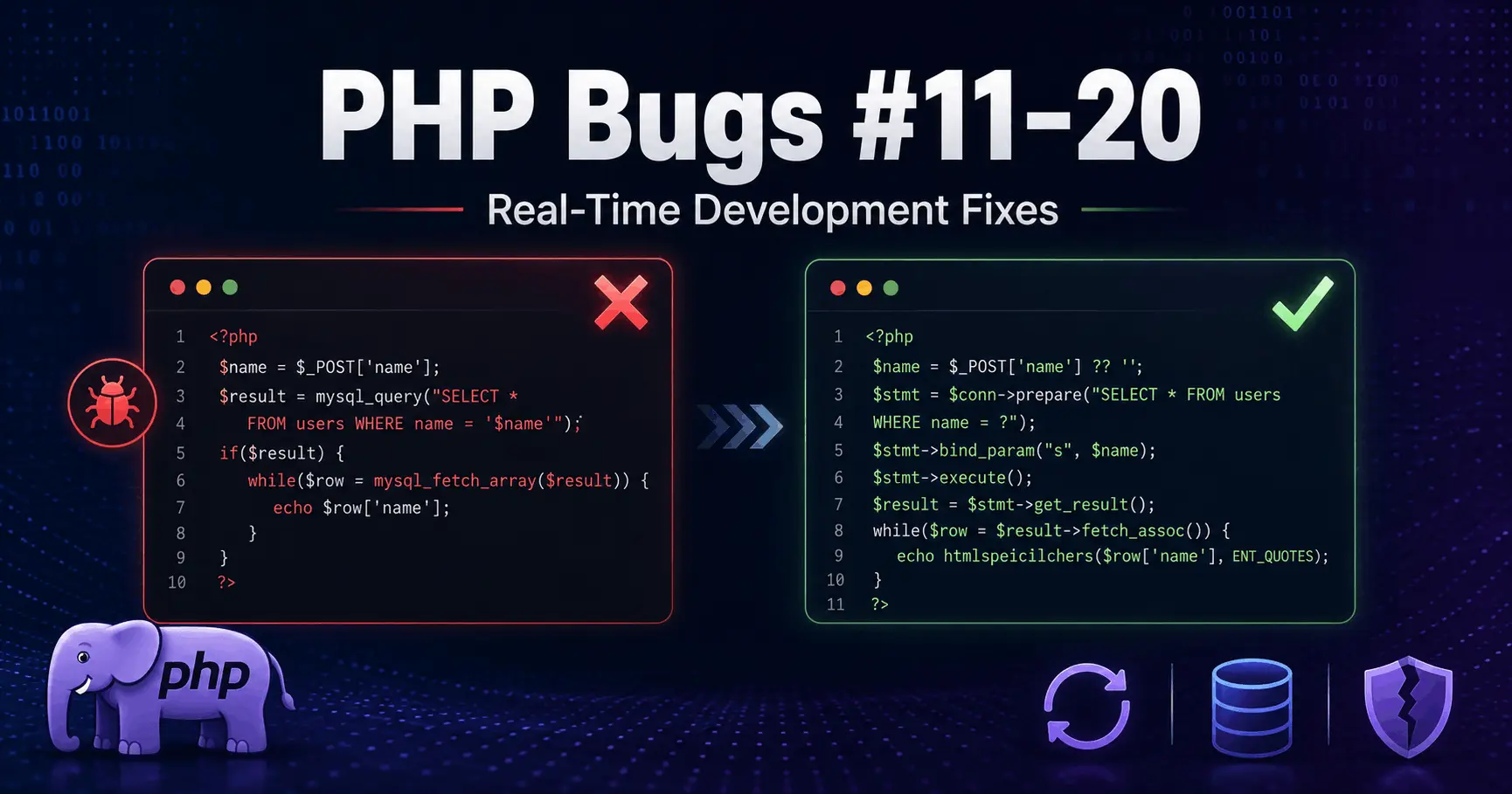
10 PHP Bugs That Break Real Projects — And How to Fix Them (Part 2)

Published By
Bikki Singh📑 Table of Contents
- Bug #11 — Infinite Loop Because of a Missing Counter Increment
- Bug #12 — String Comparison Failing Because of Letter Case
- Bug #13 — Integer Cast Cutting Off Decimal in Division
- Bug #14 — JSON Decode Returning Object Instead of Array
- Bug #15 — Printing User Input Directly to HTML (XSS Vulnerability)
- Bug #16 — Relative Include Paths Breaking on Different Servers
- Bug #17 — Duplicate Database Entries From Form Resubmission
- Bug #18 — array_merge Resetting Numeric Keys
- Bug #19 — No Error Logging Set Up in Production
- Bug #20 — foreach Not Modifying the Original Array
- Quick Reference Table
- What These Bugs Have in Common
Every PHP developer has been there. The code works perfectly on localhost. You push it to production. Something silently breaks. No error. No log. Just wrong output or unexpected behavior that costs you hours to trace.
This is Part 2 of the PHP Real-Time Bugs series on CodePractice. These are not hypothetical mistakes pulled from textbooks. These are bugs that appear in actual PHP projects — login systems, e-commerce stores, admin panels, school management portals, and APIs. Bugs that pass code review because they look fine at first glance.
We cover Bug #11 through Bug #20 — each with the broken code, the correct fix, and a clear explanation of what actually goes wrong and why.
Bug #11 — Infinite Loop Because of a Missing Counter Increment
Question: Why is my loop running infinite times?
Wrong Code:
$i = 0;
while($i < 10) {
    echo $i;
    // forgot to increment $i
}
Correct Code:
$i = 0;
while($i < 10) {
    echo $i;
    $i++;
}
Explanation:
This one looks embarrassingly simple, but it happens more often than developers like to admit — especially when you are writing a while loop quickly or copy-pasting from somewhere and forgetting to adjust the increment line.
What happens on a live server when this hits production: the PHP process locks up. That request never completes. On shared hosting or low-memory servers, this can take down the entire application for other users until the process times out. On a busy server, multiple requests hitting this loop means multiple hung processes.
The fix is one line — $i++. But the lesson is bigger: always test loop termination conditions before pushing. If a loop touches a database inside the body, an infinite loop also means thousands of repeated queries hitting your database.
To understand how PHP loop works in detail, learn PHP Loop Tutorial .
Bug #12 — String Comparison Failing Because of Letter Case
Question: Why is my string comparison case-sensitive?
Wrong Code:
if($_POST['role'] == "Admin") {
    // "admin" or "ADMIN" will not match
}
Correct Code:
if(strtolower($_POST['role']) == "admin") {
    // matches admin, Admin, ADMIN, AdMiN
}
Explanation:
PHP string comparisons are case-sensitive by default. The string "Admin" and the string "admin" are two completely different values as far as PHP is concerned.
In a real project, users submit form data. Some users type "Admin", some type "admin", some might paste "ADMIN" from a document. If your role-based access control depends on this comparison, some users will be denied access incorrectly — or worse, granted access when they should not be.
strtolower() converts the input to lowercase before comparing, so no matter what case the user submits, your comparison is always consistent. For maximum safety, normalize the stored value in your database to lowercase as well, so both sides of the comparison are always in the same format.
To understand how PHP strings works in detail, learn PHP Strings Tutorial .
Bug #13 — Integer Cast Cutting Off Decimal in Division
Question: Why is my division giving 0 instead of a decimal?
Wrong Code:
$result = 5 / 2;
echo (int)$result; // Output: 2
Correct Code:
$result = 5 / 2;
echo $result; // Output: 2.5

// For formatted output:
echo number_format($result, 2); // 2.50
Explanation:
PHP handles division correctly — 5 / 2 returns 2.5 as a float. The bug here is the (int) cast that happens before or during the output. Casting a float to an integer in PHP does not round — it truncates. So 2.5 becomes 2, 2.9 becomes 2, 9.99 becomes 9.
In a billing system, GST calculation, cart total, or discount percentage — this kind of truncation causes real financial errors. A product priced at ₹999 with 18% GST gives ₹179.82. If you (int) that anywhere in the chain, your invoice is wrong.
Use round() when you need to round to a specific number of decimal places. Use number_format() for display output. Never cast floats to integers unless you explicitly want to drop the decimal — and if you do, add a comment explaining why.
To understand how PHP numbers, PHP Casting and PHP Maths works in detail, learn PHP Numbers Tutorial, PHP Casting, PHP Math.
Bug #14 — JSON Decode Returning Object Instead of Array
Question: Why is my JSON not parsing correctly?
Wrong Code:
$data = json_decode($jsonString);
echo $data['name']; // Fatal error: Cannot use object as array
Correct Code:
$data = json_decode($jsonString, true); // second parameter true = associative array
echo $data['name']; // Works
Explanation:
json_decode() by default returns a PHP stdClass object. To access properties of an object you use -> notation: $data->name. To access an associative array you use bracket notation: $data['name']. Using the wrong syntax for the wrong type causes a fatal error.
Passing true as the second argument tells json_decode() to return an associative array instead of an object. In most real-world PHP code that handles API responses — payment gateways, SMS services, third-party data feeds — you are working with arrays throughout. Keeping everything as arrays is more consistent and avoids mixing access syntax.
Also add error checking after decoding:
$data = json_decode($jsonString, true);
if(json_last_error() !== JSON_ERROR_NONE) {
    error_log('JSON decode failed: ' . json_last_error_msg());
}
API responses can be malformed. json_last_error() tells you exactly what went wrong.
To understand how PHP json works in detail, learn PHP JSON Tutorial.
Bug #15 — Printing User Input Directly to HTML (XSS Vulnerability)
Question: Why is my XSS protection not working?
Wrong Code:
echo "Hello " . $_GET['name']; // Directly printing user inputCorrect Code:
echo "Hello " . htmlspecialchars($_GET['name'], ENT_QUOTES, 'UTF-8');Explanation:
Cross-Site Scripting (XSS) is one of the most common and most misunderstood vulnerabilities in PHP applications. When you print user-supplied input directly to the page, an attacker can inject a <script> tag or malicious HTML into your page. That script runs in the browser of every user who loads that page.
A URL like yoursite.com/hello.php?name=<script>document.cookie='stolen='+document.cookie</script> will execute JavaScript in the victim's browser if you print $_GET['name'] without escaping it.
htmlspecialchars() converts <, >, ", ', and & into their HTML entities. So <script> becomes <script> and displays as text instead of executing as code.
Always pass ENT_QUOTES to escape both single and double quotes, and always specify 'UTF-8' as the charset. This should be a non-negotiable rule in every PHP project: never print user input to HTML without htmlspecialchars().
Bug #16 — Relative Include Paths Breaking on Different Servers
Question: Why is my include path breaking on different servers?
Wrong Code:
include("includes/header.php"); // Works locally, breaks on serverCorrect Code:
include(__DIR__ . "/includes/header.php"); // Always worksExplanation:
Relative paths in PHP are resolved based on the current working directory — which is not always the directory of the PHP file being executed. It depends on how PHP is called, which web server you are using, and from which directory the script is triggered.
On your localhost with XAMPP or WAMP, the working directory might be set exactly where you expect. On a live Apache or Nginx server with different virtual host configurations, that same relative path can fail completely, giving you a "Failed to open stream: No such file or directory" error.
__DIR__ is a PHP magic constant that always returns the absolute path of the directory containing the current file — regardless of where the script is called from. It does not change between environments.
This is especially important in frameworks, CLI scripts, and any PHP file that gets included from multiple different locations. Make it a habit to use __DIR__ for all file paths.
To understand how PHP magic constant works in detail, learn PHP Magic Constant Tutorial.
Bug #17 — Duplicate Database Entries From Form Resubmission
Question: Why is my database showing duplicate entries?
Wrong Code:
// No duplicate check — direct insert
$sql = "INSERT INTO users (email) VALUES ('$email')";
Correct Code:
$stmt = $pdo->prepare("SELECT id FROM users WHERE email = ?");
$stmt->execute([$email]);

if(!$stmt->fetch()) {
    $insert = $pdo->prepare("INSERT INTO users (email) VALUES (?)");
    $insert->execute([$email]);
}
Explanation:
Two things cause duplicate entries in real projects. First, users double-click the submit button — especially on slow connections. Second, after a successful form submission the user hits the browser back button and submits again, or refreshes the page which resubmits the last POST request.
The PHP-side check shown above catches duplicates before they go to the database. But this alone is not enough. You should also add a UNIQUE constraint at the database level:
ALTER TABLE users ADD UNIQUE (email);
A UNIQUE constraint means even if two simultaneous requests pass the PHP check at the same moment, the database itself will reject the second insert. Both layers together — PHP check plus database constraint — is the correct pattern.
After a successful form submission, also redirect using header("Location: success.php"); exit; to prevent resubmission on page refresh.
To understand how PHP MySQL insert data and select data works in detail, learn PHP MySQL Insert Tutorial, PHP Mysql Select Tutorial.
Bug #18 — array_merge Resetting Numeric Keys
Question: Why is my array_merge not working as expected?
Wrong Code:
$a = [1 => "one", 2 => "two"];
$b = [2 => "TWO", 3 => "three"];
print_r(array_merge($a, $b));
// Keys are reset to 0, 1, 2, 3 — not what you expected
Correct Code:
// To preserve keys:
$result = $a + $b;

// Or to merge with key 2 from $b overwriting key 2 from $a:
$result = array_replace($a, $b);
array_merge() reindexes numeric keys starting from zero. If you pass two arrays both containing key 2, you end up with four elements with keys 0, 1, 2, 3 — the original keys are gone.
Explanation:
The + union operator preserves keys. When both arrays have the same key, the value from the left array wins. array_replace() also preserves keys, but the right array's values overwrite the left array's values for matching keys.
This matters a lot when you are merging configuration arrays, building data structures with specific IDs as keys, or working with results from database queries where numeric IDs are array keys. Using array_merge() in those cases silently destroys your key structure without any error or warning.
To understand how PHP operators work in detail, learn PHP Operators Tutorial.
Bug #19 — No Error Logging Set Up in Production
Question: Why is my error not showing in production?
Wrong Code:
// php.ini: display_errors = Off
// No error_log path configured either
// Errors disappear completely
Correct Code:
// In development (local):
ini_set('display_errors', 1);
error_reporting(E_ALL);

// In production (live server):
ini_set('display_errors', 0);   // Never show errors to users
ini_set('log_errors', 1);
ini_set('error_log', '/var/log/php/error.log');
error_reporting(E_ALL);
Explanation:
Turning off display_errors in production is correct — you do not want PHP stack traces showing in the browser where users and attackers can see them. But many developers stop there and do not set up logging either. The result is that errors happen silently. Your application misbehaves, users complain, and you have no record of what went wrong or when.
log_errors sends errors to a file instead of the browser. The error_log path tells PHP where that file is. Set this up on every production server.
Check your error log regularly — or better, set up an alert when new errors are written to it. Tools like Sentry or Bugsnag can integrate with PHP to give you real-time error notifications with full stack traces, which is the professional standard for production monitoring.
Bug #20 — foreach Not Modifying the Original Array
Question: Why is my foreach modifying the original array not working?
Wrong Code:
$prices = [100, 200, 300];
foreach($prices as $price) {
    $price = $price * 1.18; // Only modifies the copy — original unchanged
}
print_r($prices); // Still [100, 200, 300]
Correct Code:
$prices = [100, 200, 300];
foreach($prices as &$price) {
    $price = $price * 1.18;
}
unset($price); // Critical — must unset the reference after the loop
print_r($prices); // [118, 236, 354]
Explanation:
foreach works on a copy of each element by default. Whatever you do to $price inside the loop has no effect on $prices. This catches a lot of developers off guard because it looks like it should work.
The & before $price makes it a reference — meaning $price now points to the actual array element, not a copy. Changes to $price inside the loop directly modify $prices.
The unset($price) after the loop is not optional. After the loop ends, $price is still a reference pointing to the last element of the array. If you use a variable named $price later in the same scope, it will silently modify the last element of $prices. This is one of the more subtle PHP bugs that can exist in a codebase for months before anyone notices.
If you prefer to avoid references altogether, array_map() is a clean alternative:
$prices = array_map(fn($p) => $p * 1.18, $prices);To understand how PHP loop works in detail, learn PHP Loop Tutorial .
Quick Reference Table
| Bug | Issue | Root Cause | Risk |
|---|---|---|---|
| #11 | Infinite loop | Missing $i++ |
Server crash |
| #12 | Case-sensitive comparison fails | No string normalization | Access control failure |
| #13 | Decimal truncated to integer | (int) cast on float |
Financial calculation error |
| #14 | JSON returns object not array | Missing second param in json_decode |
Fatal error on API data |
| #15 | XSS vulnerability | Unescaped user output | Security breach |
| #16 | Include path breaks on server | Relative path used | Fatal include error |
| #17 | Duplicate database records | No existence check before insert | Data corruption |
| #18 | Array keys reset after merge | array_merge reindexes keys |
Lost key structure |
| #19 | Errors invisible in production | No error logging configured | Silent failures |
| #20 | Original array not modified | foreach works on copy |
Wrong data processed |
What These Bugs Have in Common
Looking at all ten, there is a clear pattern. Most of them do not throw errors — they just behave differently than you expect. PHP's forgiving nature means the code runs, it just does not do the right thing. That is what makes them dangerous in production.
The developers who catch these early are the ones who have been burned by them before, or who read about them before getting burned. That is the value of studying real bugs from real projects — not syntax, not theory, but actual things that go wrong on live servers.
Part 3 of this series covers PHP bugs #21–30 — covering session handling, file upload security, date and timezone bugs, and database connection errors.
This article is part of the PHP Real-Time Bugs Series on CodePractice. Each bug in this series comes from actual PHP development scenarios across web projects, school management systems, e-commerce platforms, and API integrations.
Also read:
🔥 Get Free Weekly Coding Cheatsheets & Guides
Join 10,000+ developers getting handpicked Python, Web Dev & CS interview prep guides directly in their inbox.
Frequently Asked Questions (FAQs)
Q1: Why is my loop running infinite times in PHP?
An infinite loop usually happens when the loop condition never becomes false or the loop counter is not updated correctly. Always ensure that variables controlling the loop are incremented, decremented, or modified inside the loop so it can eventually stop.
Q2: Why is my JSON not parsing correctly in PHP?
JSON parsing issues often occur when the JSON string is invalid or when developers misunderstand how json_decode() works. By default, json_decode() returns an object. If you need an associative array, pass true as the second parameter and always check for JSON errors after decoding.
Q3: How can I prevent XSS attacks in PHP?
To prevent Cross-Site Scripting (XSS), never output user-generated content directly to the browser. Use functions like htmlspecialchars() to convert special characters into safe HTML entities before displaying user input on a webpage.
Q4: Why am I getting duplicate records in my PHP database?
Duplicate records are commonly caused by multiple form submissions, repeated API requests, or missing database constraints. You can prevent duplicates by using unique indexes, validating data before insertion, and implementing proper form submission controls.
Q5: Why are PHP errors not showing in production?
Production servers usually disable error display for security reasons. Instead of showing errors on the screen, configure PHP error logging and review log files when debugging. This prevents sensitive system information from being exposed to visitors while still allowing developers to diagnose issues.
Related Tags:
PHP bugs in real-time development
PHP common mistakes
PHP loop bug
PHP foreach reference bug
PHP XSS fix
PHP JSON decode error
PHP duplicate database entries
Hi, I'm Bikki Singh — Full Stack Developer, coding language trainer, and founder of CodePractice.in. With 5+ years of hands-on web development experience, I've trained 500+ students across India in Python, PHP, Java, C, C++, MySQL, and front-end technologies like HTML, CSS, and JavaScript. I started CodePractice.in with one goal: make programming education practical, not theoretical. Every tutorial and blog I write is built around real projects and interview scenarios — so learners don't just understand code, they can actually use it.


Read Coding Blogs on Different Topics
Learn Our Free Tutorials on

Submit Your Reviews